
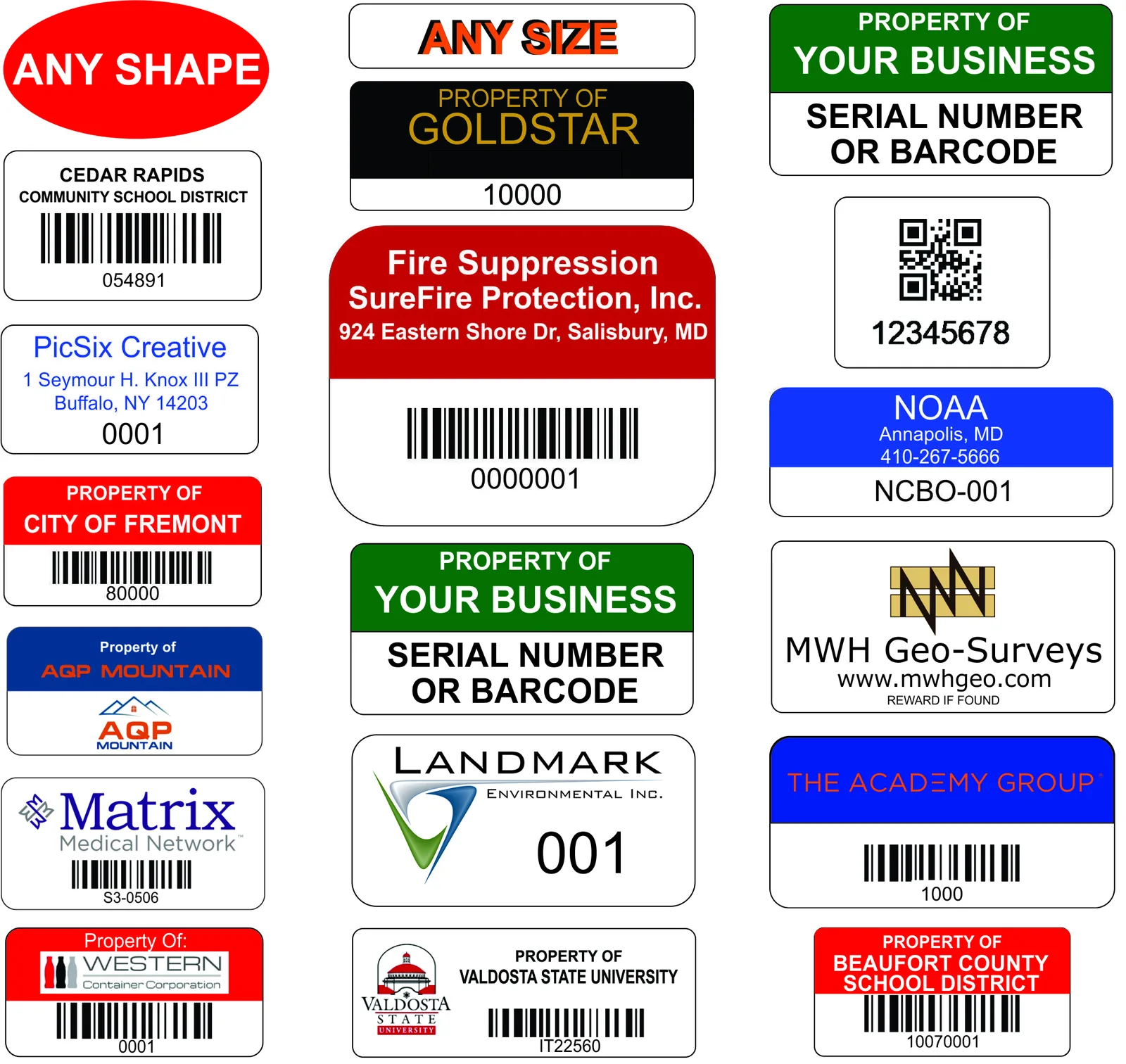
Most asset tags are built from the same few parts. Once you know what they are and how the numbering works, choosing a template takes minutes. This guide walks through the layouts in our tag designer, real asset number examples, and the numbering formats that hold up through audits and software changes.
What goes on an asset tag
A working asset tag answers two questions: who owns this, and which one is it. Ownership is usually a line like "Property Of:" followed by your company name, or your logo. Identity is a unique asset number, printed so a person can read it, and usually repeated in a barcode or QR code so a scanner or phone can read it too. Many tags add one more line for a department, a phone number, or a short instruction. Everything else is optional.
Barcode and serial number templates
Our designer has six barcode layouts. Full color with strip puts your logo or text on a solid color field, with the barcode and serial number in a white strip below. Half color splits the tag: color on top for your name, white on the bottom for the code. Full color inline serial drops the barcode and prints the company text and serial number on the color field. No color minimal is a white tag with a border, company text, a barcode, and a serial number. No color standard is a logo on a color field with the barcode and serial in a white strip. Fully customize is a blank white canvas with a border where you add any text, logo, barcode, and serial yourself.
QR code templates
Three layouts carry a QR code. QR full color puts company text, a QR code, and a serial line on a solid color field. QR no color places the QR code on the left, your logo or text on the right, and the serial number below. QR fully customize starts with a centered title and a QR code, and every element is editable. Choose QR when people will scan with phones or the code needs to open a web page, and keep the printed asset number beside it so the tag still works if a scan fails.
Text-only templates
Two layouts carry no code at all. Text only, full color centers your company text and numbers on a solid color field. Text only, no color does the same on a white tag with a border. These suit property-of stickers and programs that track assets by eye rather than by scanner.
Colors and sizes
Every layout can be recolored with 16 ready-made color combinations or a custom color wheel. Colored backgrounds print on the Stronger and Strongest tiers. The Strong tier is a white or silver background only, with one print color and no logo. The designer offers three standard sizes, 0.75 x 1.5 inch, 0.75 x 2 inch, and 1 x 2 inch, each available horizontal or vertical. A vertical tag is the same physical size turned 90 degrees, so nothing on it has to be rotated by hand. Any other size or shape goes through a custom quote.
Asset number examples
The simplest asset number is a plain sequence with leading zeros, such as 000001, 000002, 000003. In our designer you can start the sequence from any number you like. Leading zeros keep every number the same width, which makes lists sort correctly and makes a missing tag easy to spot. A prefix adds meaning: a school district might use EHS-CB-00417, where EHS is the school, CB means Chromebook, and 00417 is the sequence within that class at that site. A heavy equipment fleet might use equipment class, acquisition year, and a four-digit sequence. Pick a format before the first order and keep it for the life of the program.
Fixed asset tagging format
Fixed-asset tagging is an accounting exercise. Every capitalized item gets a unique number that ties to a depreciation schedule and an audit record. A multi-segment format such as department, facility, and asset number keeps each site auditable on its own. If you already keep a fixed-asset register, send it and we print exactly the serials, prefixes, and check digits it uses, so the tag and the register never disagree. Our fixed asset tags page covers tier and format choices for accounting programs.
IT asset tag format
For IT equipment we recommend a three-segment number: a three-character site code, a two-character asset class, and a five-digit sequence. Because the format does not depend on any software's internal IDs, it survives a move from one asset-management platform to another. Put the number in human-readable form and in a Code 128 barcode or QR code, and see our guide to the best asset tags for IT equipment for placement on laptops, servers, and peripherals.
Your own numbers, or ours
You do not have to fit your numbering into a template. Set a starting number and we run the sequence, or upload a spreadsheet of serial numbers or URLs and each tag prints its own value. Sequential numbering, prefix-controlled ranges, and variable data are all standard. Our serial number stickers page covers serialized runs in more detail.
From template to tag
Open the tag designer, pick a layout, add your logo and text, and set your starting number or upload your list. If you are not sure which material your environment needs, the 30-second spec builder asks about your environment, surface, format, and size and recommends a tier. Before a large rollout, order samples. We ship the real material in several sizes, so you can see how your layout reads at each one and test the tag on your own equipment.